


Excellent geolocation tool
One of the innovations included in Windows 7 is the possibility to manage sensors connected to your computer, in such a way that (together with certain applications or gadgets) it will provide us with interesting geolocation functions, this means, it will offer us information about our global positioning.
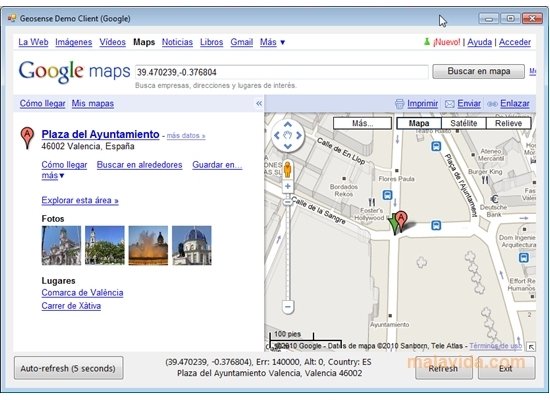
If you don't have a GPS connected to your computer, you can enjoy this Windows 7 function thanks to Geosense. This application installs a kind of “position sensor” on your computer that, by using different methods, such as WiFi triangulation, for example, gives you a rather good approximation to your current position.
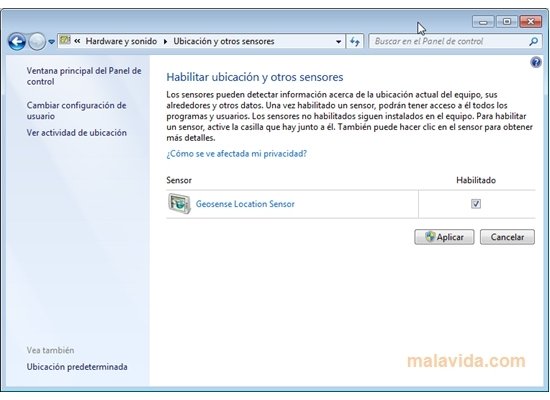
Follow these steps to enable GeoSense
- Go to the Control Panel.
- Click the "Hardware and Sound" option.
- Select "Location and other sensors".
- Finally, on the screen that will appear, you'll be able to activate “Geosense Location Sensor”.
Currently, Geosense supports Google's positioning services (through Wi-Fi or IP), but in the future, it's possible that they add compatibility with, Skyhook Wireless (Wi-Fi), Quova (Wi-Fi) and Navizon (Wi-Fi), among others.
Requirements and additional information:
- Runs on Windows 7.
 Vanessa Martín
¡Hi! I am Vanessa Martin, I like to travel, music, photography, and I am passionate about the Internet, as it is a great source of information where you can find everything you need. If it exists, it is on the Internet. Another of my great...

Antony Peel